
How matching works
Lanten matches on the sender’s email address against your Street records. When the person is linked to more than one thing — or the email itself makes the context obvious — Lanten helps you narrow it down:- Multiple matches: you get a picker. A solicitor acting on two sales sees “Choose the sale (2)” with both properties listed.
- Inferred context: when Lanten works out the property from the thread, it says so — you’ll see it labelled “In this thread (assumed)”.
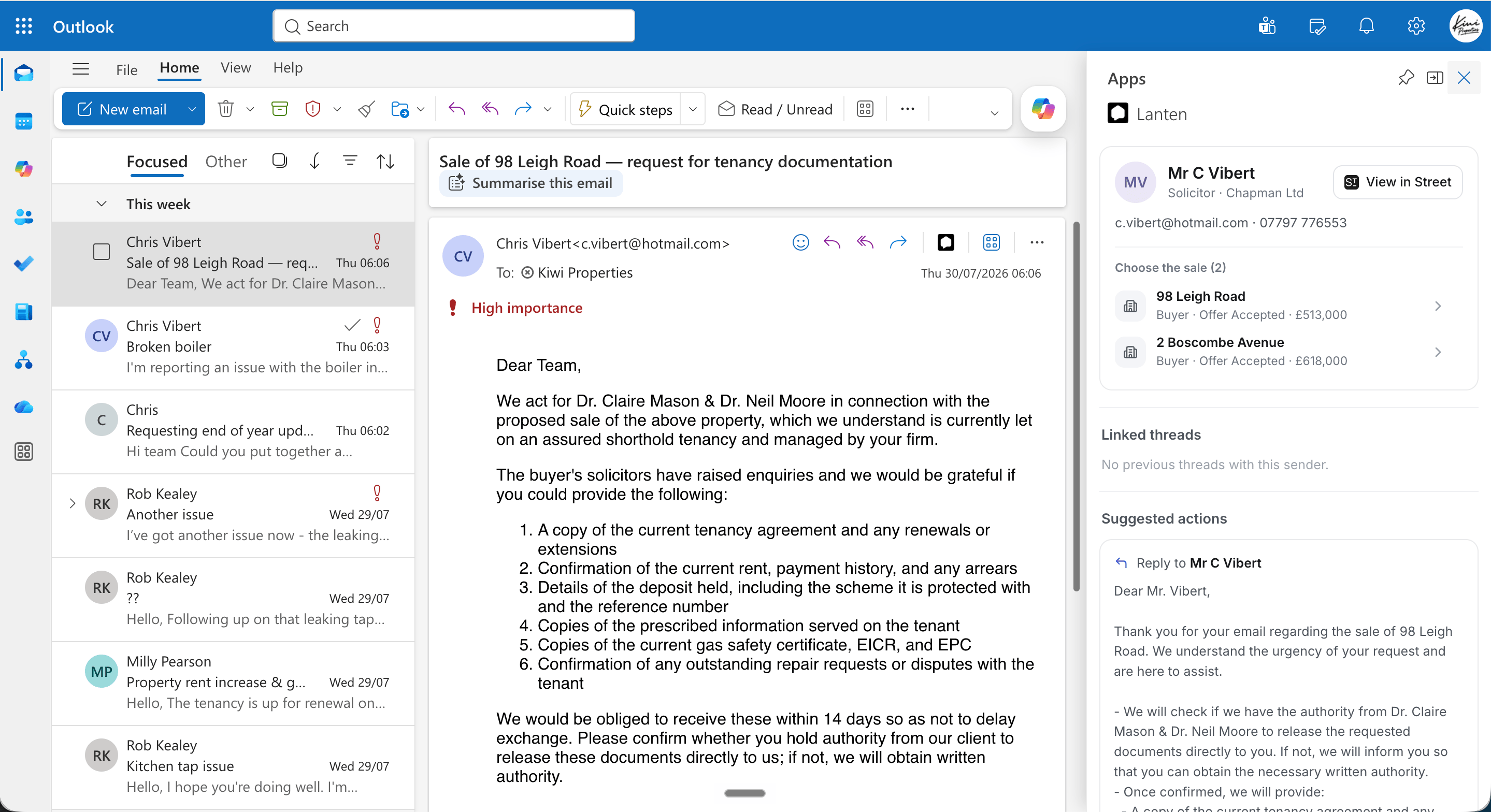
A solicitor linked to two sales — pick the one this email is about.
What you’ll see
Every record card starts with the person — name, role, contact details — and a View in Street button that jumps straight to their record. Below that, the card adapts to who they are:Tenants
Tenancy status and dates, rent, landlord, gas safety expiry, last inspection — and any open maintenance jobs pulled from Street, so you know about the broken boiler before you’ve finished reading about it.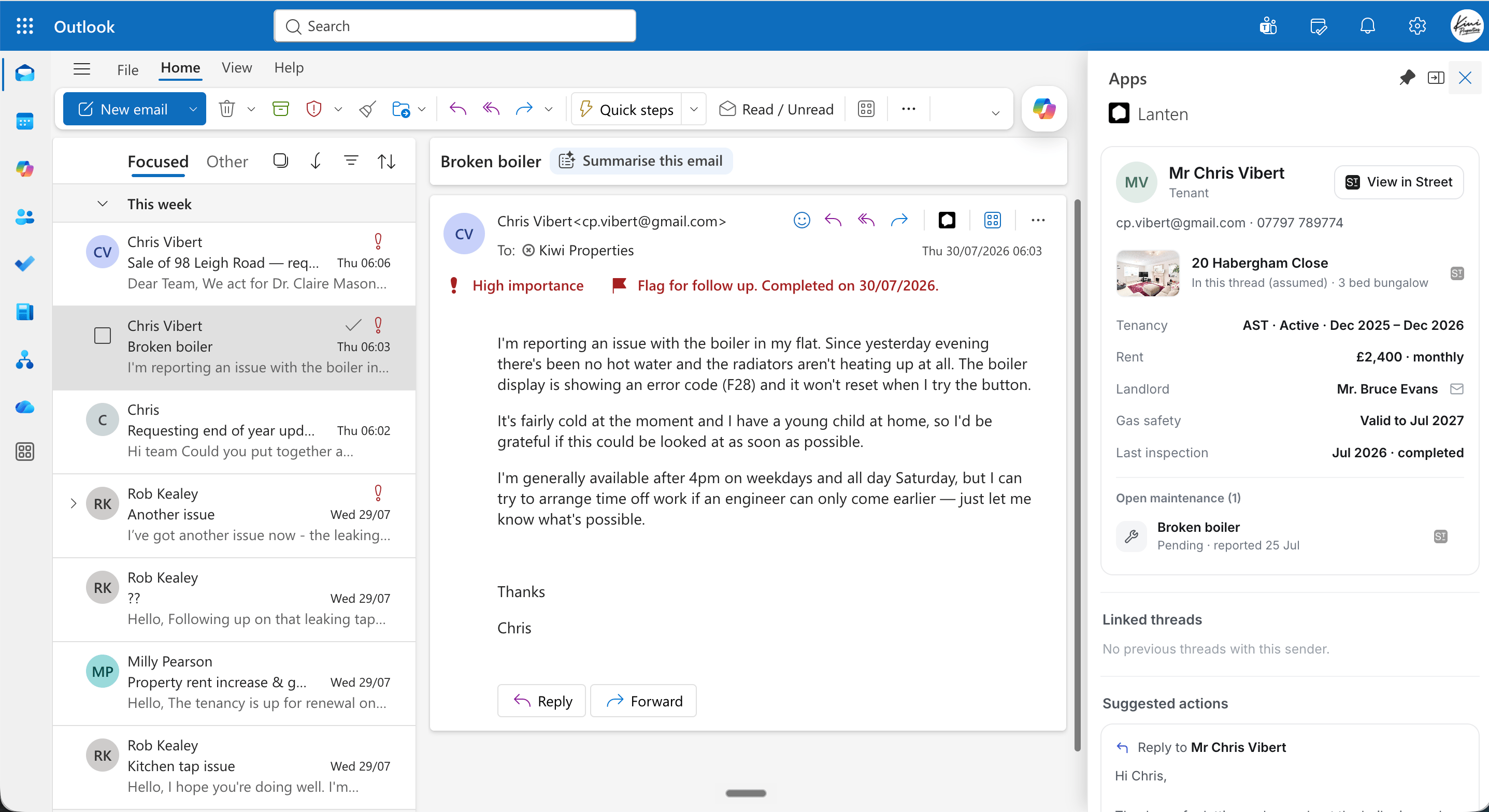
A tenant's card: tenancy, rent, compliance dates and the open maintenance job.
Landlords
Their properties, current tenancy status, and compliance at a glance — including what’s missing, shown as “none recorded”.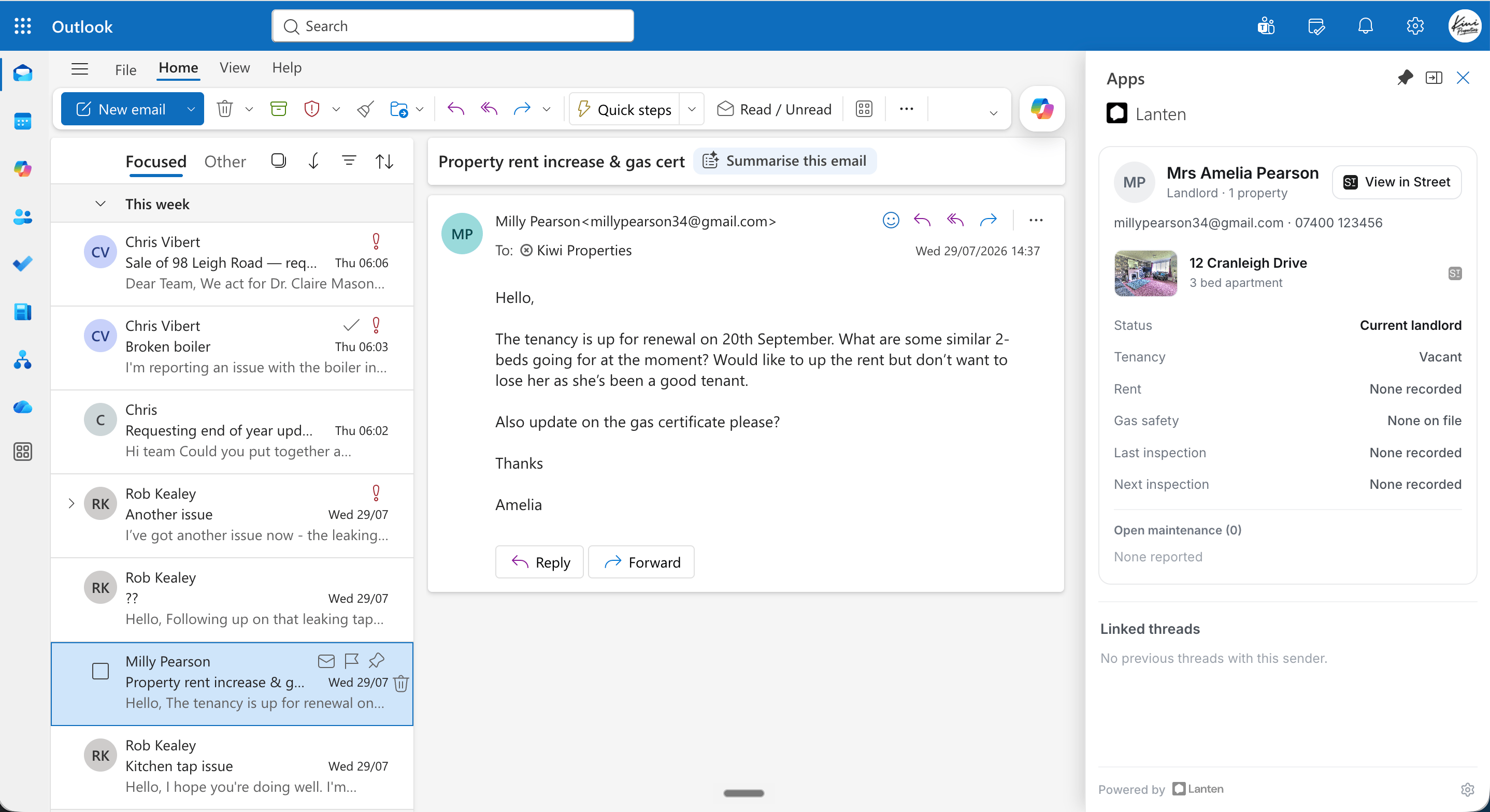
A landlord's card, including the gaps.