
- Street sync — turned on per inbox, by each teammate.
- Email sync — which record types emails are logged against, set once for the whole agency.
Turn it on for an inbox
Email sync stays off until you switch it on for a connected inbox. Each teammate connects their own Outlook (see Connecting Outlook), so each person turns on their own sync. Go to app.lanten.ai → Integrations. On your Outlook card, flip Street sync on.
Flip Street sync on to start logging that inbox's emails to Street.
Street sync is per inbox — switching it on for your account doesn’t touch anyone else’s. Every teammate who wants their emails logged flips their own toggle.
Choose which records get logged
By default, synced emails are logged against every kind of Street record. If you’d rather narrow that down, do it once for the whole agency. On the Integrations page, open Advanced settings on the Street card and find Email sync — “Which Street records synced emails are logged against, for inboxes with Street sync turned on.” Toggle any record type on or off: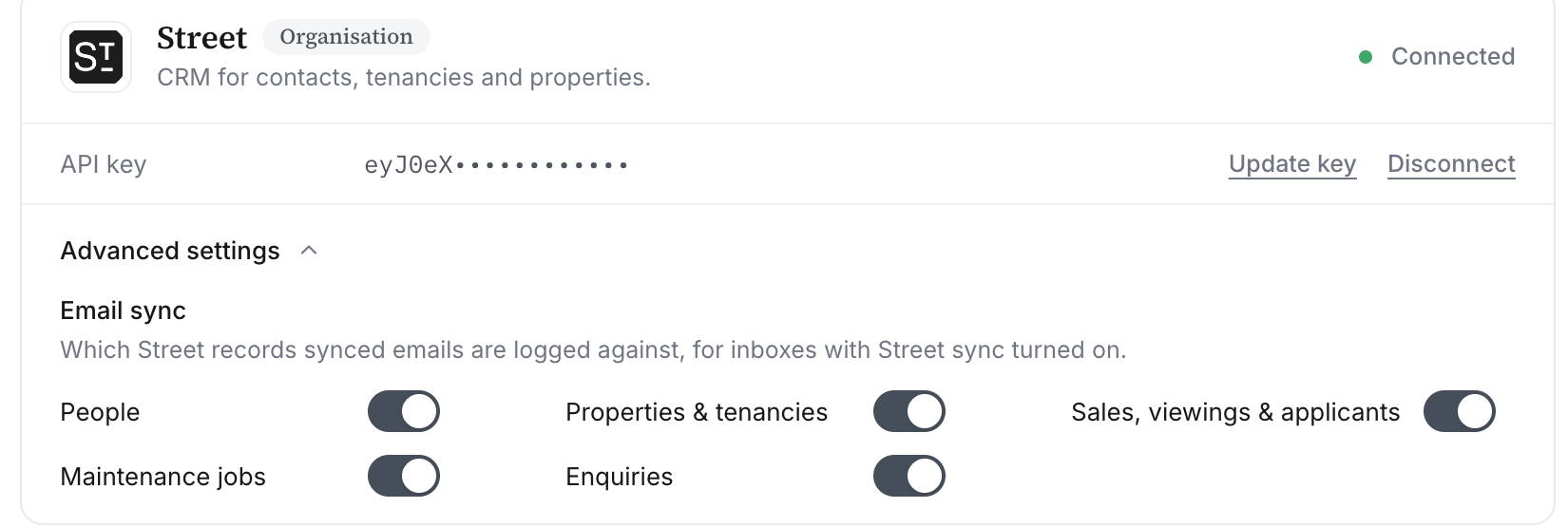
Turn off any record type you don't want synced emails logged against.
- People
- Properties & tenancies
- Sales, viewings & applicants
- Maintenance jobs
- Enquiries