> ## Documentation Index
> Fetch the complete documentation index at: https://help.lanten.ai/llms.txt
> Use this file to discover all available pages before exploring further.
# AI summaries
> Catch up on any thread in two lines — built from the conversation's history plus context from Street.
Long threads are where time goes to die: forty messages about one deposit dispute, and you need the state of play *now*. The **Context** box at the top of the panel is Lanten's answer.
## How it works
When you open an email, Lanten summarises the thread — drawing on the **thread's history and context from Street**. So it's not just "they emailed about the boiler four times"; it's informed by the tenancy, the property, and what's already logged.
* **Collapsed**, it's two lines — enough to orient you before you read a word of the email.
* **Expand it** for the full summary of how the conversation got here.
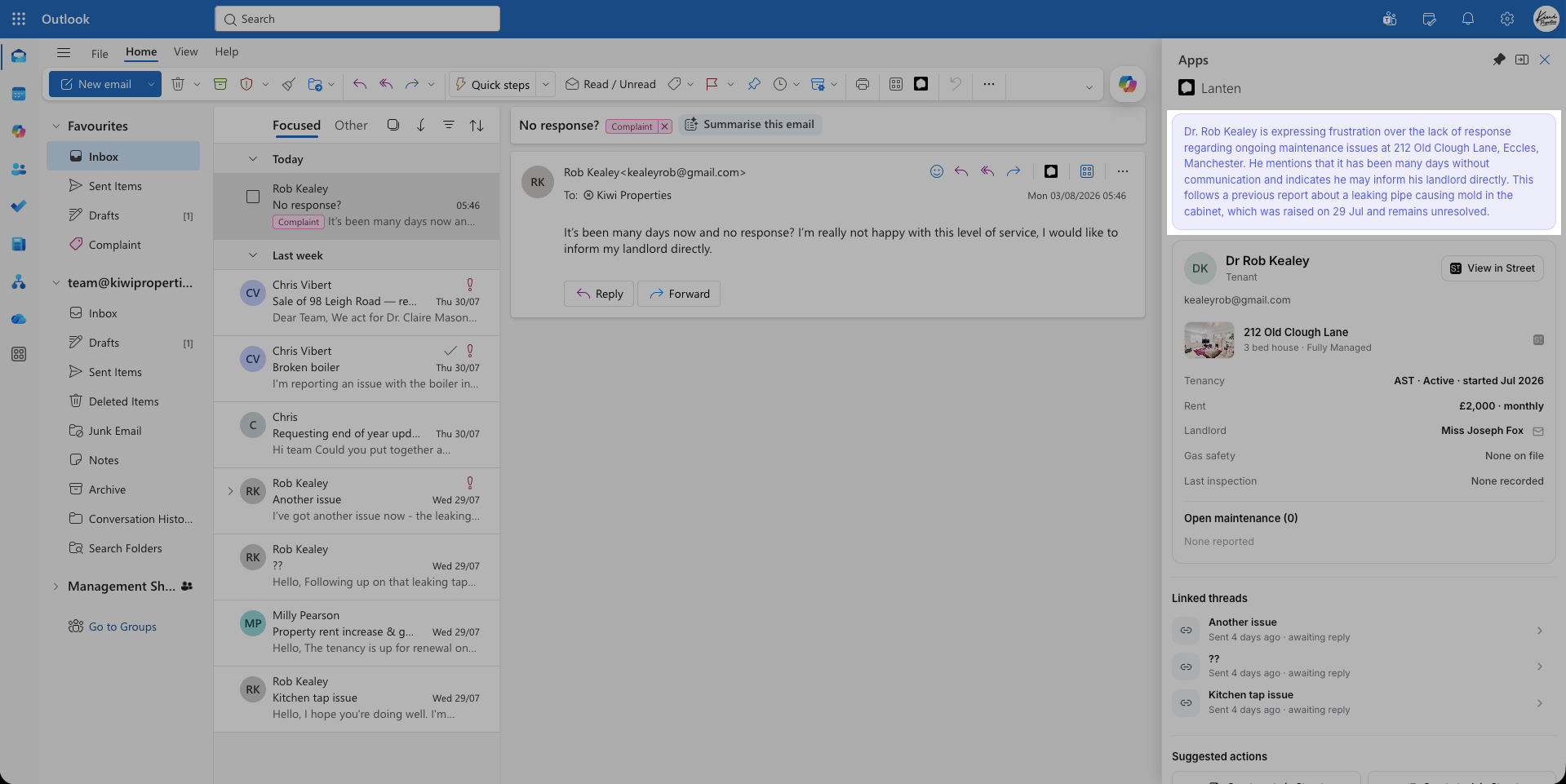 The summary updates as the thread grows, so replying days later doesn't mean re-reading from the top.
Summaries work on any email — the sender doesn't need to be in Street. They're just sharper when there's CRM context to draw on.
The summary updates as the thread grows, so replying days later doesn't mean re-reading from the top.
Summaries work on any email — the sender doesn't need to be in Street. They're just sharper when there's CRM context to draw on.