> ## Documentation Index
> Fetch the complete documentation index at: https://help.lanten.ai/llms.txt
> Use this file to discover all available pages before exploring further.
# Street records: see who's emailing you
> Lanten matches the sender to your Street records and shows the full picture — tenancy, property, compliance and open jobs — beside the email.
Open an email and Lanten looks the sender up in Street. If they're in your CRM, the panel shows who they are and everything relevant to the conversation — no tab-switching, no searching Street by hand.
## How matching works
Lanten matches on the **sender's email address** against your Street records. When the person is linked to more than one thing — or the email itself makes the context obvious — Lanten helps you narrow it down:
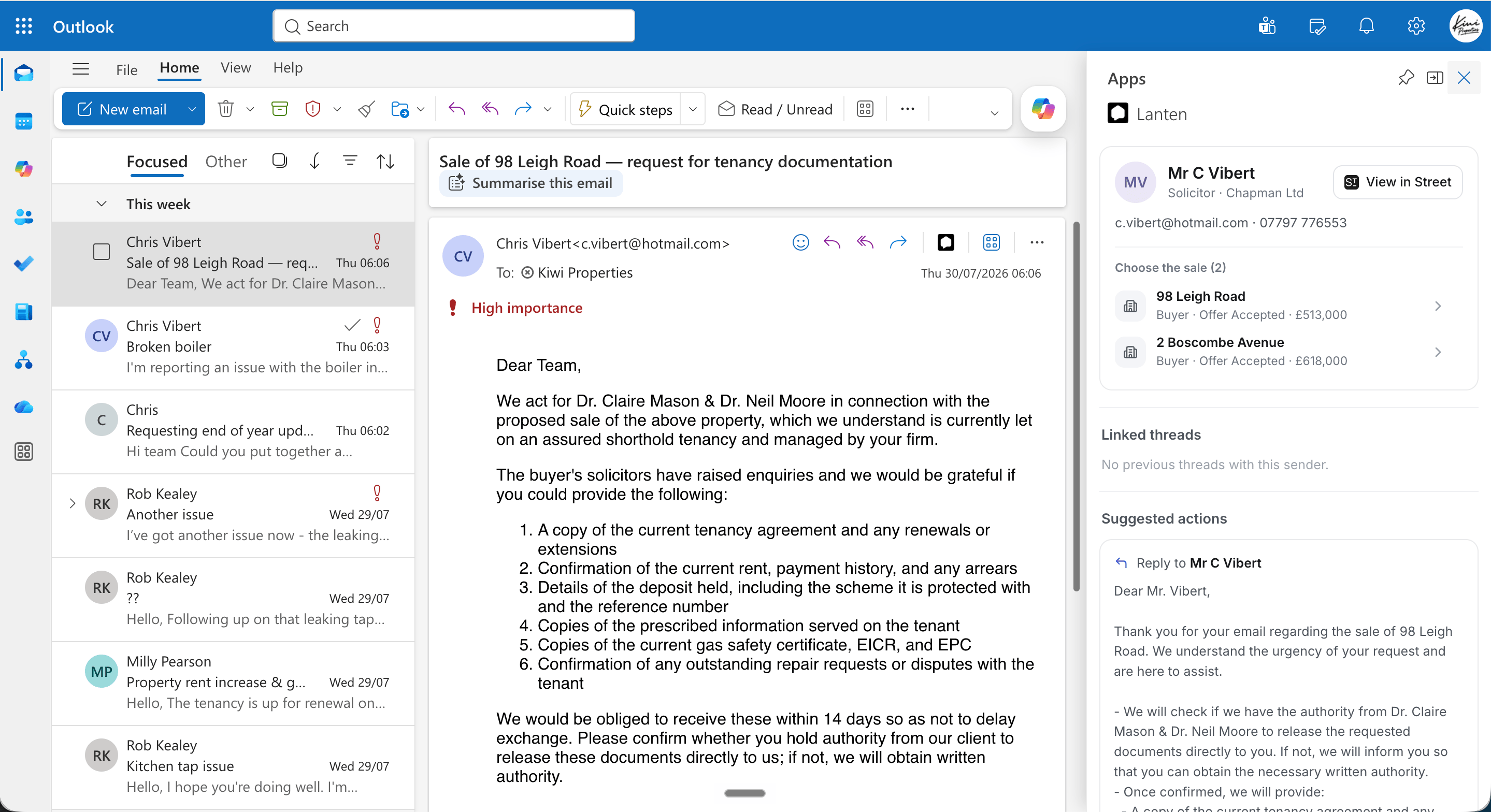
* **Multiple matches:** you get a picker. A solicitor acting on two sales sees "Choose the sale (2)" with both properties listed.
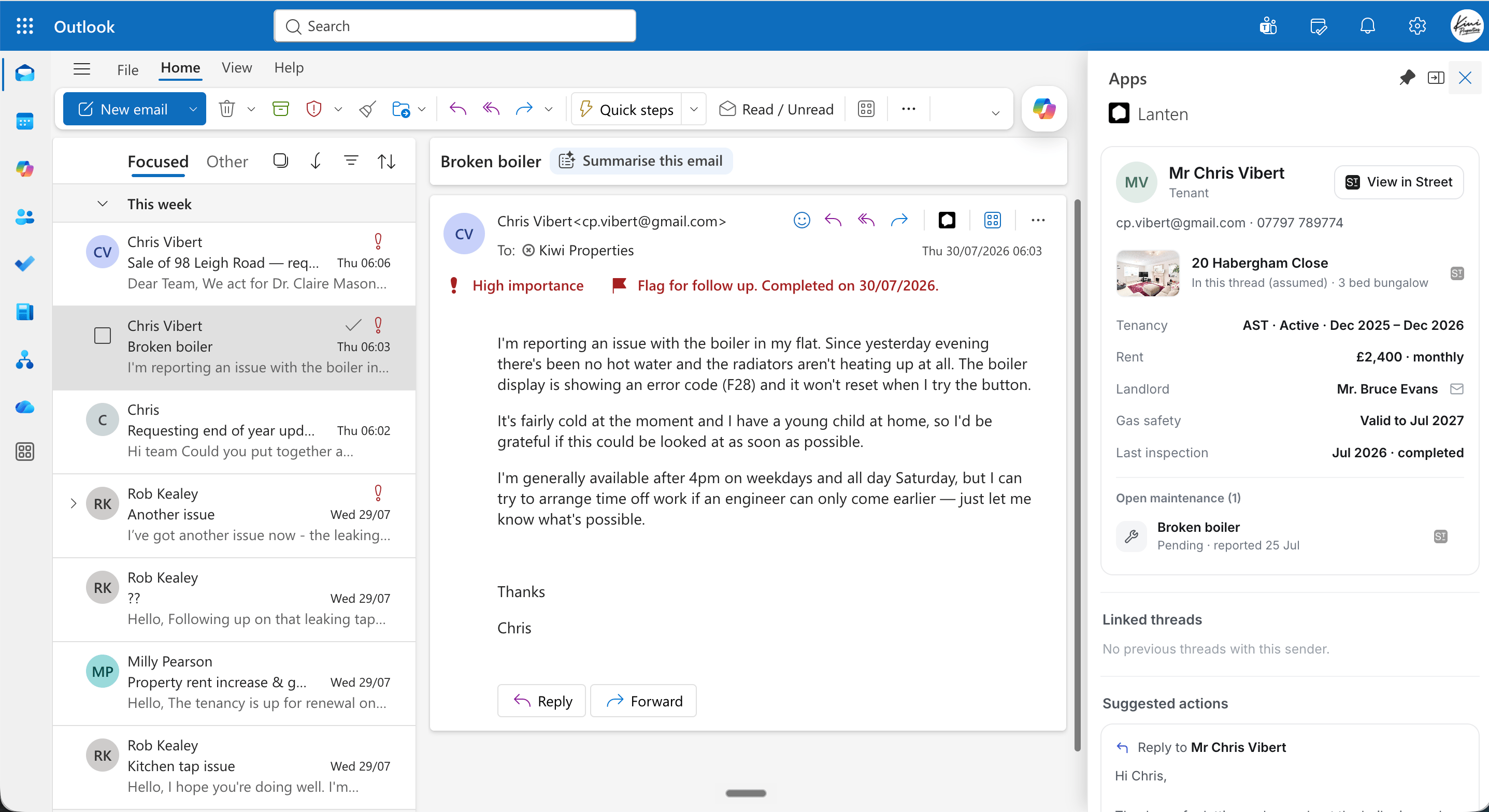
* **Inferred context:** when Lanten works out the property from the thread, it says so — you'll see it labelled "In this thread (assumed)".
 ## What you'll see
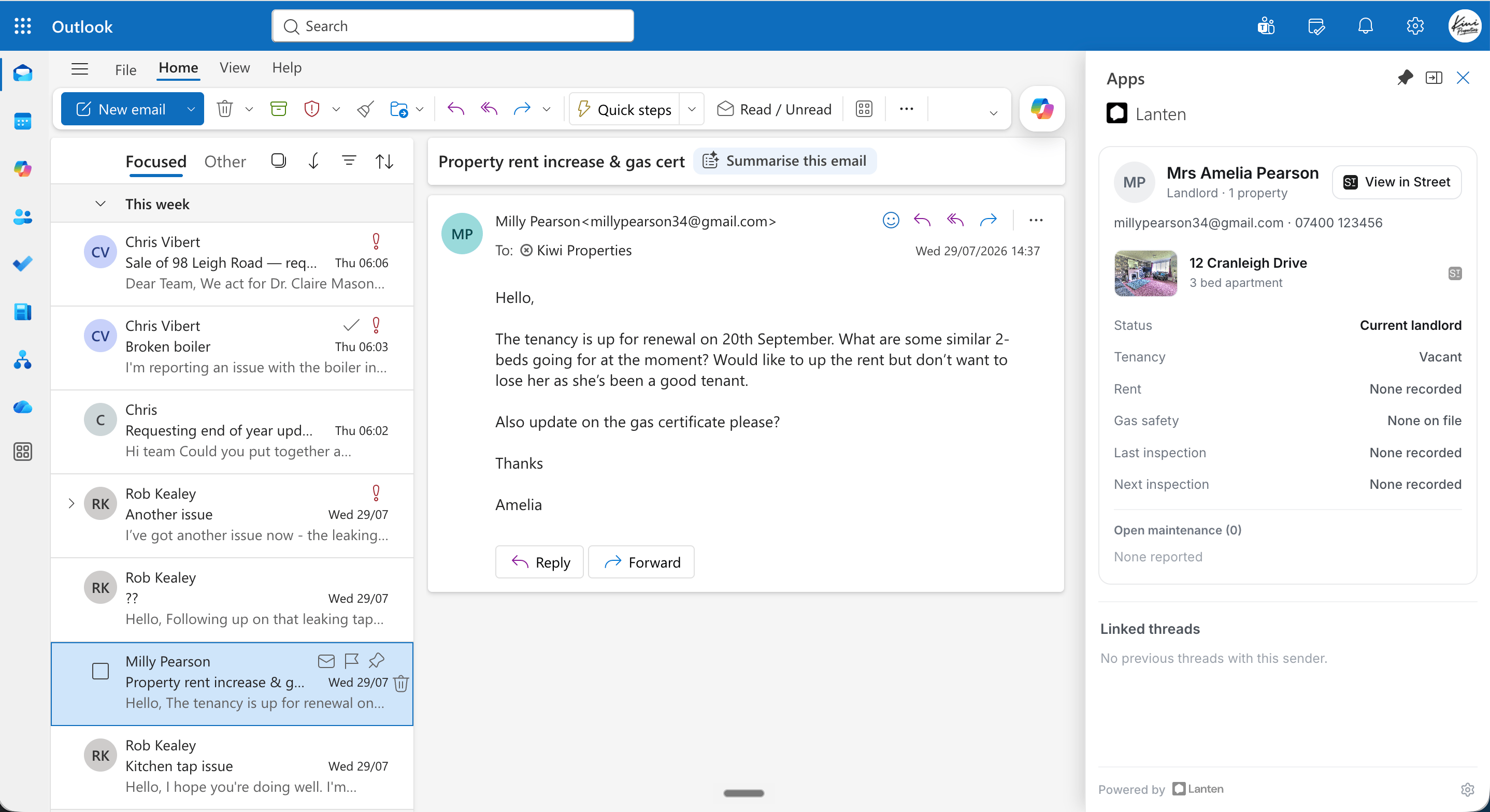
Every record card starts with the person — name, role, contact details — and a **View in Street** button that jumps straight to their record. Below that, the card adapts to who they are:
### Tenants
Tenancy status and dates, rent, landlord, gas safety expiry, last inspection — and any **open maintenance** jobs pulled from Street, so you know about the broken boiler before you've finished reading about it.
## What you'll see
Every record card starts with the person — name, role, contact details — and a **View in Street** button that jumps straight to their record. Below that, the card adapts to who they are:
### Tenants
Tenancy status and dates, rent, landlord, gas safety expiry, last inspection — and any **open maintenance** jobs pulled from Street, so you know about the broken boiler before you've finished reading about it.
 ### Landlords
Their properties, current tenancy status, and compliance at a glance — including what's *missing*, shown as "none recorded".
### Landlords
Their properties, current tenancy status, and compliance at a glance — including what's *missing*, shown as "none recorded".
 ### Applicants, solicitors and more
Applicants show their applications; solicitors show their firm and the sales they act on.
## When there's no match
If the sender isn't in Street, Lanten still shows the panel — summaries and reply drafting work on any email — it just won't have CRM context to add. If someone *should* be matching but isn't, check the address they're emailing from is the one on their Street record.
### Applicants, solicitors and more
Applicants show their applications; solicitors show their firm and the sales they act on.
## When there's no match
If the sender isn't in Street, Lanten still shows the panel — summaries and reply drafting work on any email — it just won't have CRM context to add. If someone *should* be matching but isn't, check the address they're emailing from is the one on their Street record.