> ## Documentation Index
> Fetch the complete documentation index at: https://help.lanten.ai/llms.txt
> Use this file to discover all available pages before exploring further.
# Managing your subscription
> Trial, plans, seats and invoices — everything billing, self-service.
## Your free trial
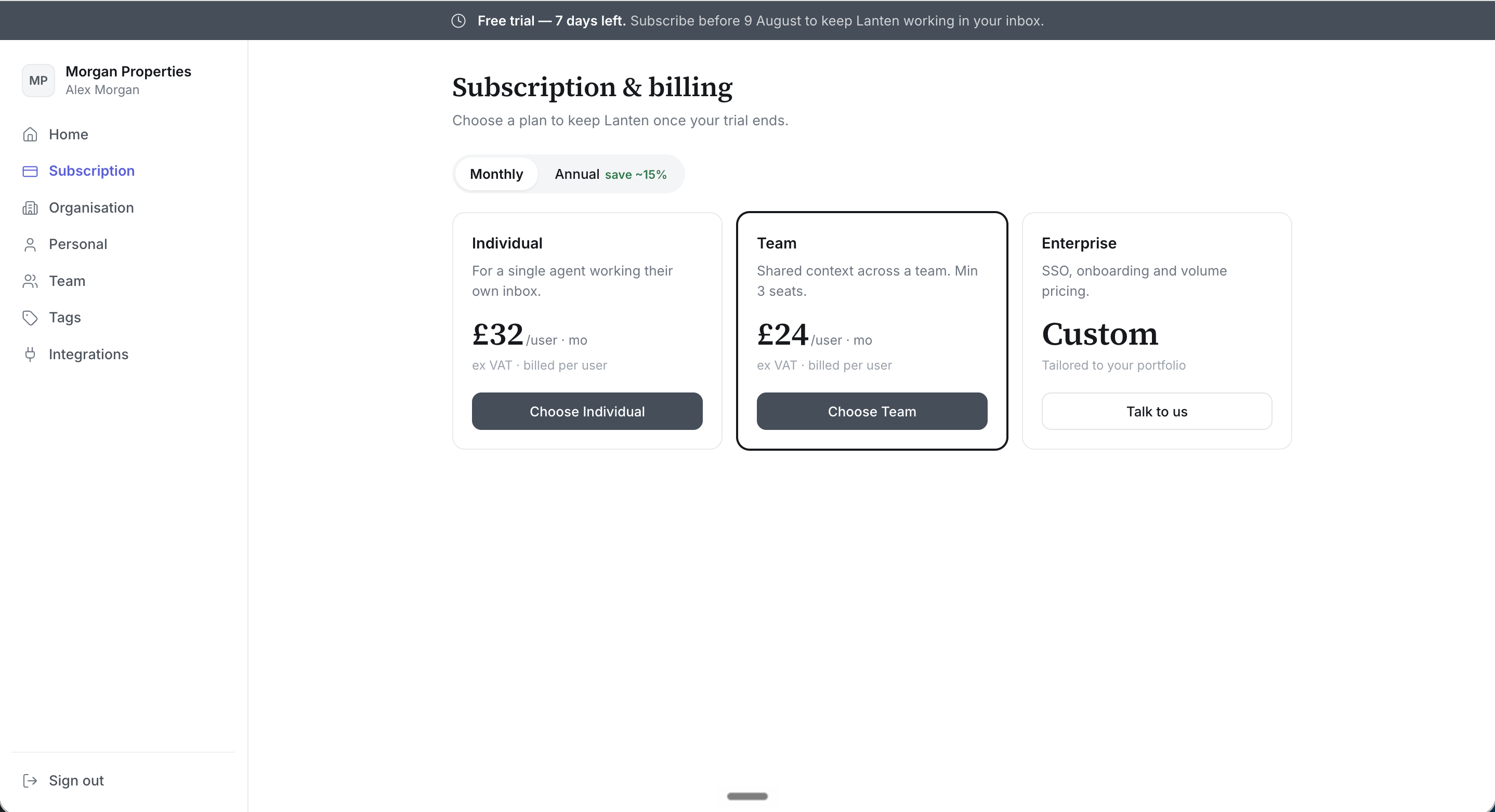
Every account starts with a **7-day free trial — no card needed**. While it runs, a banner in the dashboard counts down and shows the date to subscribe by. Nothing is charged unless you choose a plan.
 ## Choosing a plan
In [app.lanten.ai](https://app.lanten.ai) → **Subscription**, pick monthly or annual billing (annual saves roughly 15%) and choose:
* **Individual** — a single agent working their own inbox
* **Team** — shared context across a team; minimum 3 seats
* **Enterprise** — SSO, onboarding and volume pricing; talk to us
Current prices are on [lanten.ai/pricing](https://lanten.ai/pricing). All plans are billed per user, ex VAT.
## Managing an active subscription
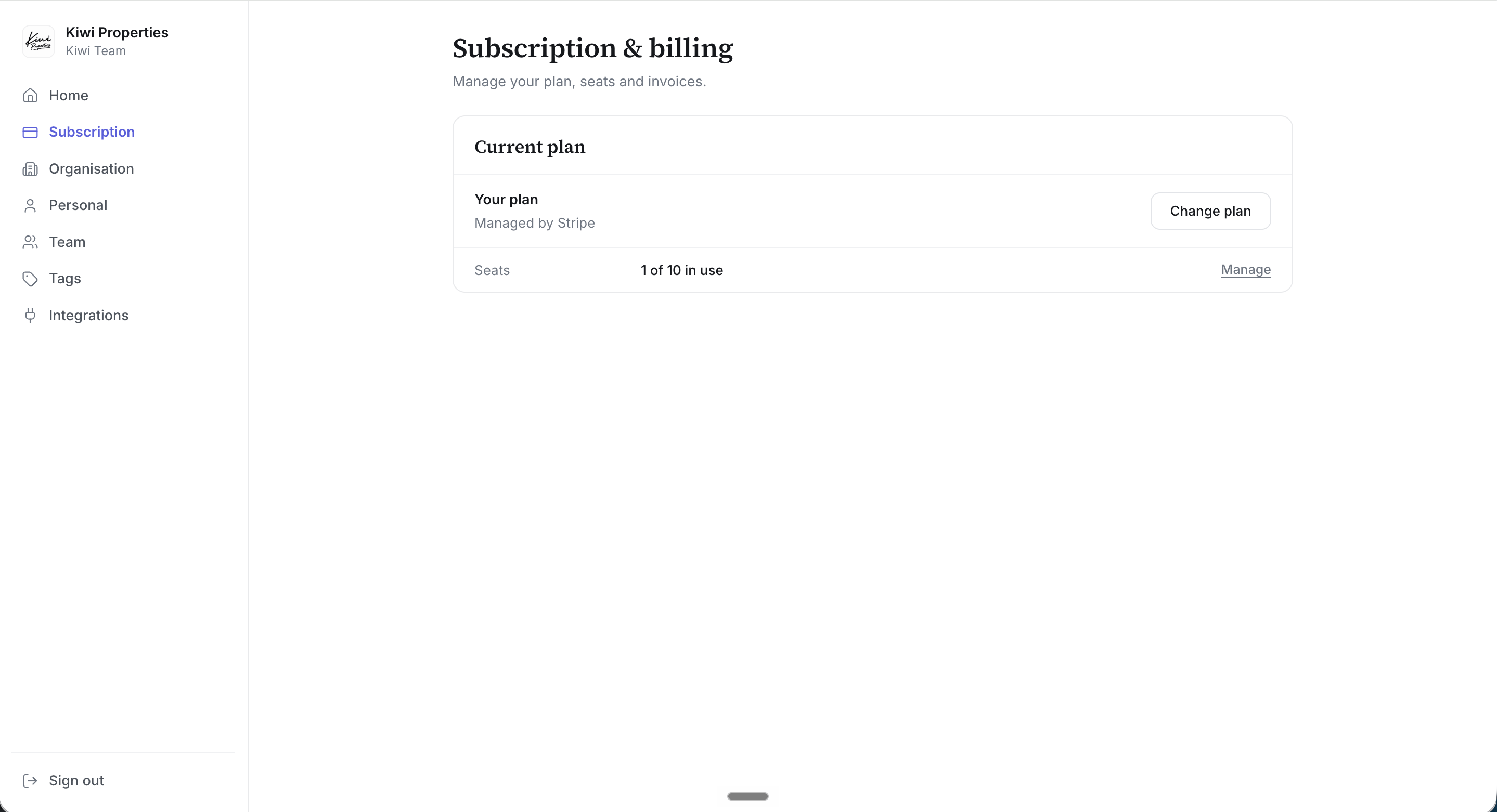
Billing is handled by Stripe. From the Subscription page you can:
* **Change plan** — switch tier or billing period
* **Manage seats** — add or remove seats as the team changes
* **Invoices & payment method** — via the Stripe billing portal
## Choosing a plan
In [app.lanten.ai](https://app.lanten.ai) → **Subscription**, pick monthly or annual billing (annual saves roughly 15%) and choose:
* **Individual** — a single agent working their own inbox
* **Team** — shared context across a team; minimum 3 seats
* **Enterprise** — SSO, onboarding and volume pricing; talk to us
Current prices are on [lanten.ai/pricing](https://lanten.ai/pricing). All plans are billed per user, ex VAT.
## Managing an active subscription
Billing is handled by Stripe. From the Subscription page you can:
* **Change plan** — switch tier or billing period
* **Manage seats** — add or remove seats as the team changes
* **Invoices & payment method** — via the Stripe billing portal
 ## If your trial or subscription lapses
Lanten doesn't vanish from Outlook — the add-in stays visible but prompts you to subscribe before it will work again. Your Street connection, team and Tags are kept, so subscribing picks up where you left off.
## Cancelling
Cancel from the Subscription page at any time; you keep access until the end of the period you've paid for.
## If your trial or subscription lapses
Lanten doesn't vanish from Outlook — the add-in stays visible but prompts you to subscribe before it will work again. Your Street connection, team and Tags are kept, so subscribing picks up where you left off.
## Cancelling
Cancel from the Subscription page at any time; you keep access until the end of the period you've paid for.