> ## Documentation Index
> Fetch the complete documentation index at: https://help.lanten.ai/llms.txt
> Use this file to discover all available pages before exploring further.
# Customising reading-pane actions
> Put Lanten's icon on every message so it's one click away — instead of buried behind the Apps button.
Outlook hides add-ins behind the **Apps** button by default — two clicks and a hunt every time. You can customise the actions shown on each message so Lanten's icon is always right there on the reading pane.
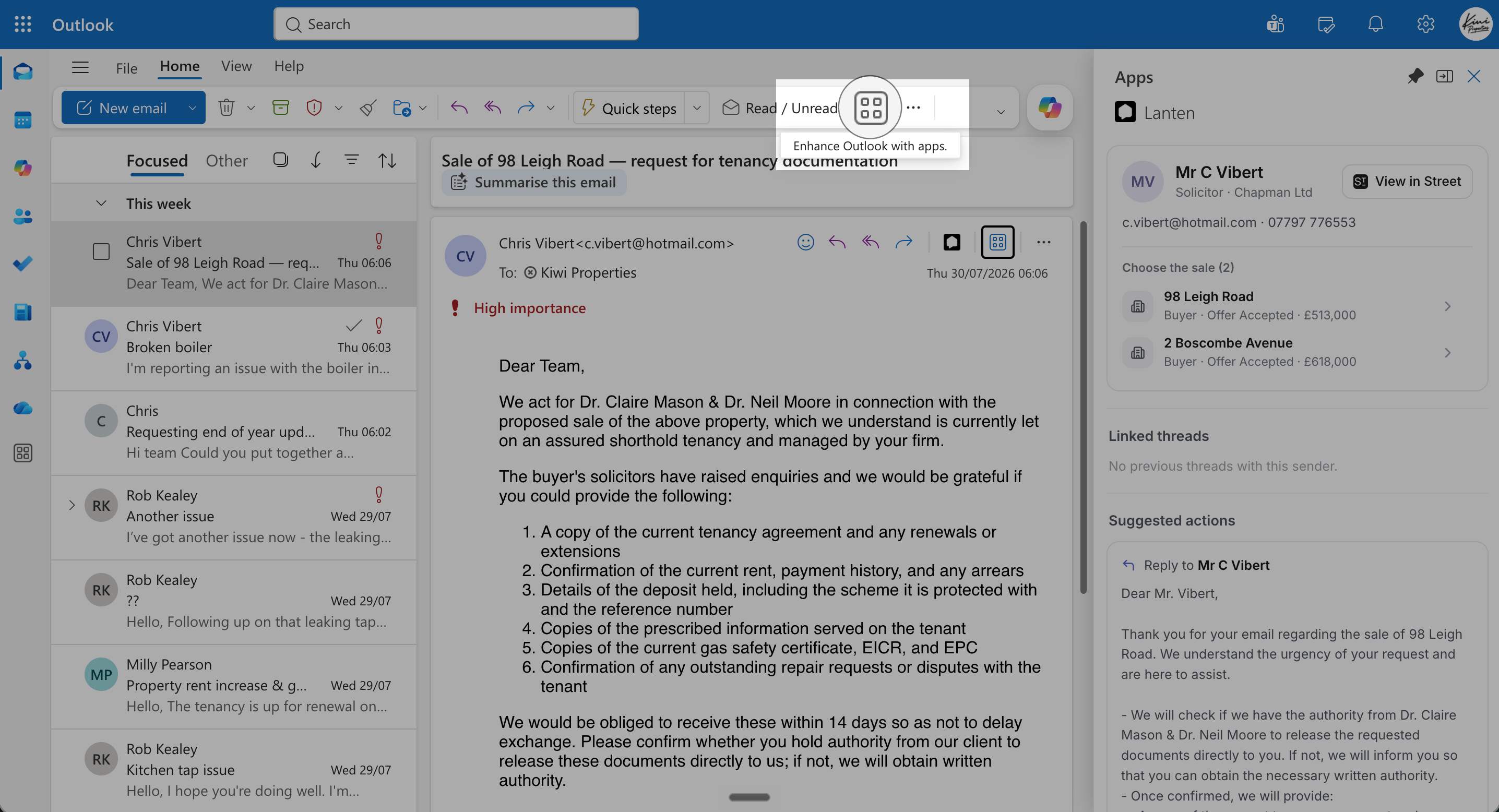 This is about the icon on each message. To keep the whole panel open as you move between emails, [pin it](/getting-started/pin-lanten) — the two work well together.
## Surface Lanten
1. Click the **Settings** gear (top-right).
2. Go to **Mail → Customise actions**.
3. Under the message surface actions, tick **Lanten**.
4. **Save**. Lanten's icon now appears on every message you read.
1. Click the **Settings** gear.
2. **Mail → Customise actions**.
3. Tick **Lanten** under the message surface section.
4. **Save**.
Classic Outlook shows Lanten on the **ribbon** of every message — no customisation needed. If you don't see it there, the add-in may not be installed for your mailbox: see [Lanten isn't showing](/troubleshooting/add-in-not-showing).
Lanten appears in the **toolbar** of an open message. If it's missing, check [Lanten isn't showing](/troubleshooting/add-in-not-showing).
This is about the icon on each message. To keep the whole panel open as you move between emails, [pin it](/getting-started/pin-lanten) — the two work well together.
## Surface Lanten
1. Click the **Settings** gear (top-right).
2. Go to **Mail → Customise actions**.
3. Under the message surface actions, tick **Lanten**.
4. **Save**. Lanten's icon now appears on every message you read.
1. Click the **Settings** gear.
2. **Mail → Customise actions**.
3. Tick **Lanten** under the message surface section.
4. **Save**.
Classic Outlook shows Lanten on the **ribbon** of every message — no customisation needed. If you don't see it there, the add-in may not be installed for your mailbox: see [Lanten isn't showing](/troubleshooting/add-in-not-showing).
Lanten appears in the **toolbar** of an open message. If it's missing, check [Lanten isn't showing](/troubleshooting/add-in-not-showing).